IMPORTANT
SNS 3.x versions have reached End of Maintenance since July 1st, 2024.
We recommend that you update your SNS firewalls to a version with maintenance to guarantee the protection of your infrastructure.
Uninstalling the software
To uninstall the VPN Client, proceed as follows:
-
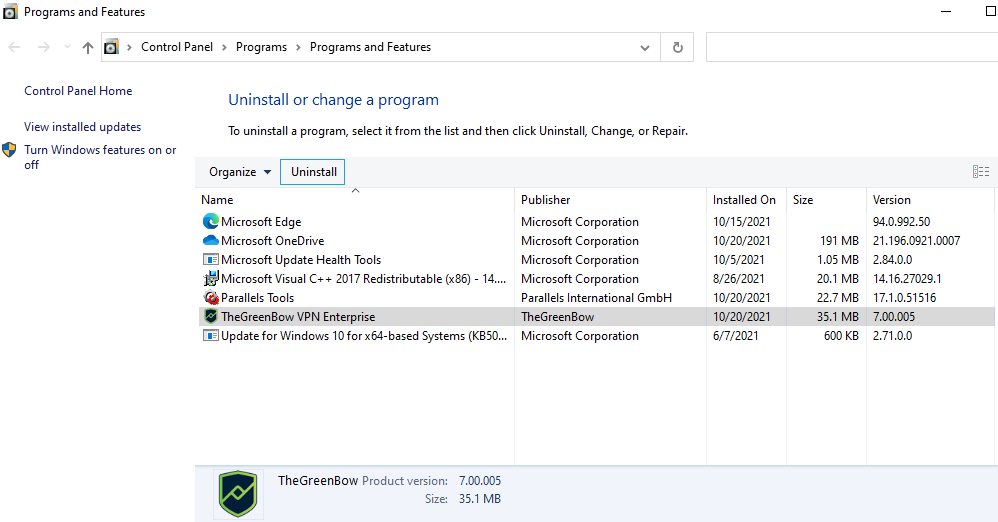
Open the Windows Control Panel.
-
Select Uninstall a program.
-
Select SN VPN Client Exclusive in the list of programs.
-
Click Uninstall and follow the instructions to uninstall the program.
OR
-
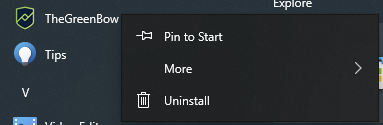
Open the Windows Start menu.
-
Right-click on the SN VPN Client Exclusive program, then select Uninstall.
-
The Windows Control Panel is displayed. Select SN VPN Client Exclusive in the list of programs.
-
Click Uninstall and follow the instructions to uninstall the program.
NOTE
Administrator privileges are required to install or uninstall the program on the workstation.