IMPORTANT
SNS 3.x versions have reached End of Maintenance since July 1st, 2024.
We recommend that you update your SNS firewalls to a version with maintenance to guarantee the protection of your infrastructure.
Defining the CA as the default CA for the LDAP directory
- Select the CA from the left panel, then click on Actions and select Set as default.
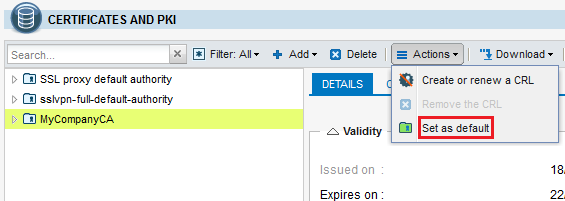
- Confirm the operation by clicking on Yes.
The CA will now be identified by a green symbol  indicating that it is the CA used by default to encrypt user certificates in the LDAP directory.