SN-M-Series-520

On these products, data is stored on an M.2 SSD.
Dismantling
- Using a Philips screwdriver, unscrew:
- The 2 black countersunk screws located at the back of the cover,
- The black countersunk screws that hold down the lateral fastening brackets,
- The 2 black countersunk screws located on either side of the product.
- Remove the cover by sliding it backwards.
This operation will tear the warranty sticker. - Locate the SSD:
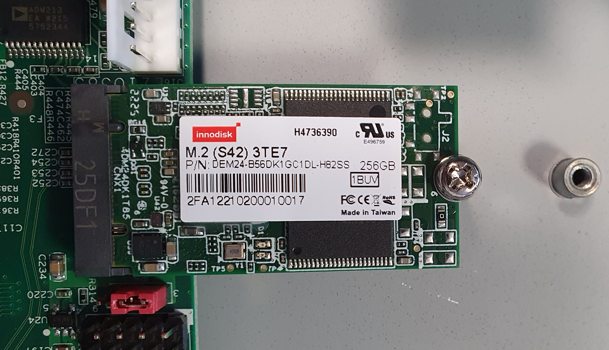
- Unscrew the fastening screw with a Philips screwdriver.
- Unplug and take out the M.2 SSD.
- Place the fastening screw back in with a Philips screwdriver.
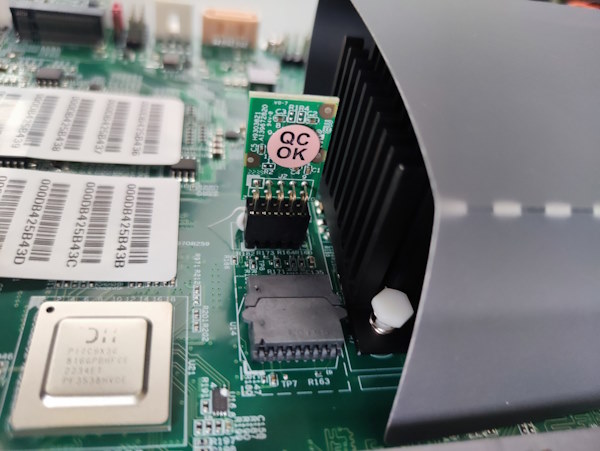
- Extract the TPM (Trusted Platform Module) by pulling it gently and perpendicular to the motherboard:
Assembly
- Plug the SSD back into the dedicated slot.
- Screw the SSD fastening screw back in.
- Put the cover and fastening brackets back in place.
- Close it up using the screws.