Importing saved connections
IMPORTANT
This operation overwrites and replaces saved connections that are currently available with those contained in the imported .book file.
-
Click on the
 button at the top right, then click on Import.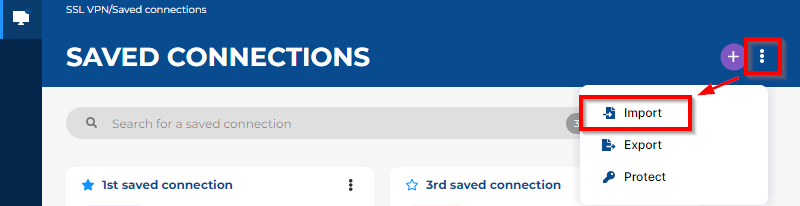
- Select the .book file containing the saved connections that you wish to import, then click on Open.
- If the .book file is protected by a password, enter it in the Password field.
- Click on Import.
Once the saved connections are imported, you can Protecting access to saved connections with a password if you wish to do so.
NOTE
Administrators can also import saved connections:
Administrators can also import saved connections:
- On a workstation with the Stormshield SSL VPN client command line interface. For more information, refer to the section Configuring the Stormshield SSL VPN client through a command line interface.
- On a pool of Windows workstations, through a script in a GPO. For more information, refer to the section Deploying saved connections through a group policy (GPO) in the Stormshield SSL VPN client v5 installation guide.