Starting up SN160, SN160W, SN210, SN210W, SN310, SN-XS-Series-170, SN-S-Series-220, SN-S-Series-320, SNi10 and SNi50 models
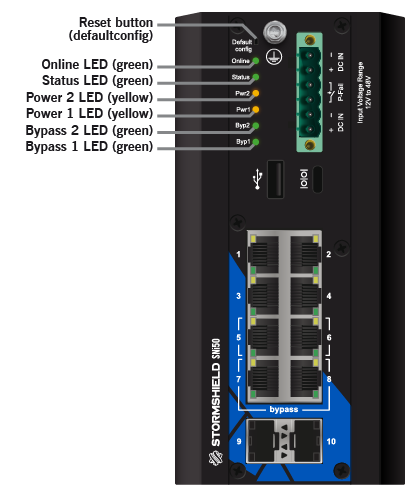
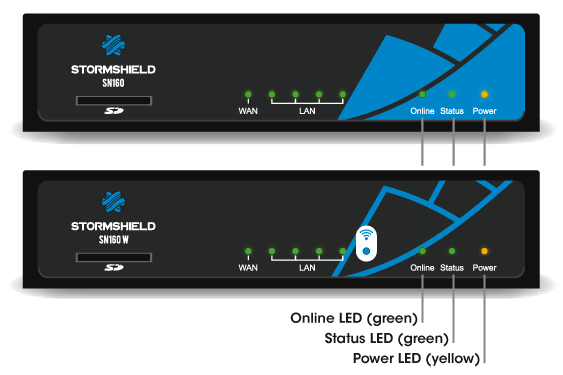
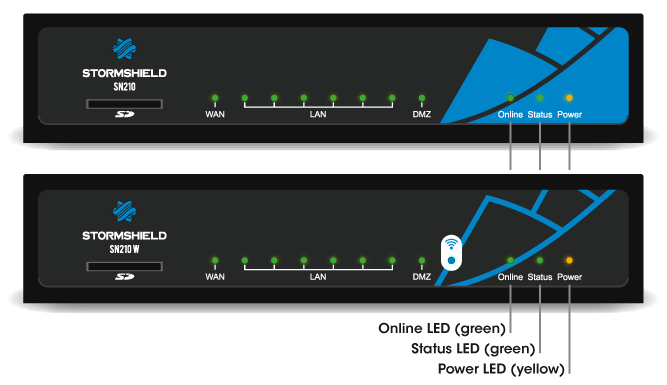
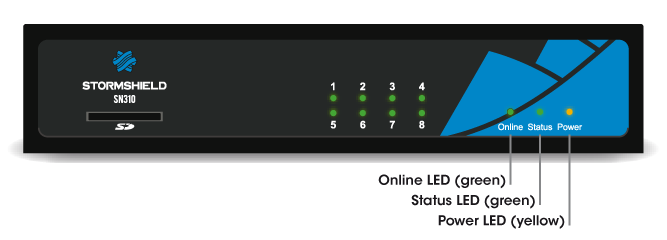
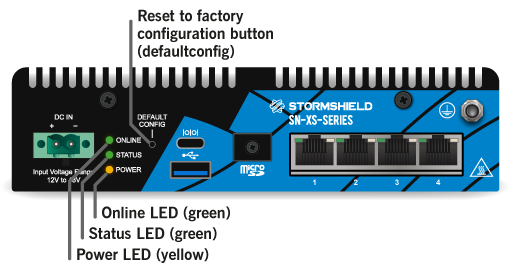
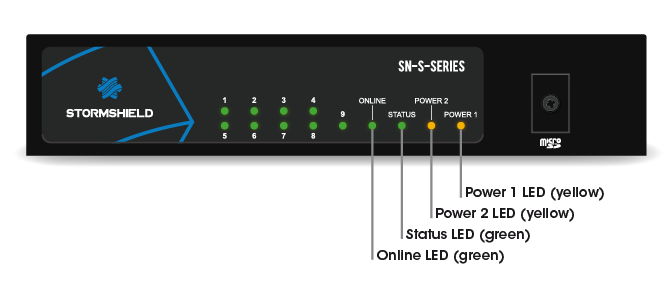
Plug your firewall into its power supply; it will start automatically. Wait a few minutes for all 3 LEDs – Online, Status and Power (2 Power LEDs on SN-S-Series-220, SN-S-Series-320 and SNi50 models) to light up.
NOTE
If necessary during startup, you can insert a USB key containing a configuration. Console mode will display the following message: “Please insert your USB token to continue”.
The lit Online LED will indicate the end of the product’s startup phase.
SN160 and SN160W models
SN210 and SN210W models
SN310 model
SN-XS-Series-170 and SNi10 models
SN-S-Series models
SNi50 model