Uninstalling the VPN client
The application can be uninstalled from the PC regardless of which Essential or Premium variant was initially installed.
The administrator can uninstall the application in several ways:
Manual uninstall
Follow the steps below to uninstall the Cybels VPN client (local administrator privileges required):
-
Open the Windows Control Panel.
-
Select Uninstall a program.
-
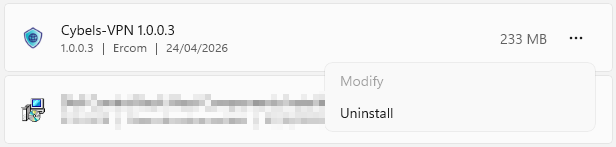
Select Cybels VPN client from the list of programs.
-
Click on Uninstall and follow the instructions to uninstall the program.
Managed uninstall
-
If you are using a group policy (GPO), EMM/MDM, ask your system administrator for advice on configuration.
-
In command line (local administrator privileges required)
msiexec /x "CybelsVPN_Setup.msi" /qn
Once the uninstall has been launched, the installation folder will be deleted, the VPN service will no longer appear in the task manager, the Cybels VPN shortcut will be removed, and all entries relating to the application will be deleted.
By default, configuration files and the user's VPN profiles are retained even after an uninstall. This measure makes it possible to immediately restore the work environment if the application is reinstalled in the future.