Requirements
This section sets out the requirements for configuring each of the firewalls in the architecture presented.
The IP addresses 198.51.100.0/24 and 203.0.113.0/24 used in this technical note to represent the firewall’s public IP addresses are reserved for documentation, in line with RFC 5737.
Conditions and limitations
This use case is supported based on the following conditions and limitations:
-
You are using one of the firmware versions SNS 4.3, SNS 4.8 or SNS 5
-
You are using IKEv2,
-
You are using DHCP.
Configuring the network and PKI
You have configured your network in advance, and if necessary your PKI (optional), to allow the various sites to communicate through their physical interfaces.
Network configuration
Network configuration on the hub:
-
WAN interface: 198.51.100.1/24,
-
LAN interface: 192.168.1.1/24,
-
Default route: GW_default (198.51.100.254).
Network configuration on the spoke:
-
WAN interface: 203.0.113.59/24 (DHCP),
-
LAN interface: 192.168.2.1/24,
-
Default route: Firewall_WAN_router.
PKI configuration (optional)
You can choose whether IPsec peers authenticate with certificates or pre-shared keys (PSK).
We recommend certificate authentication.
In this case, you will need to set up your PKI in advance:
-
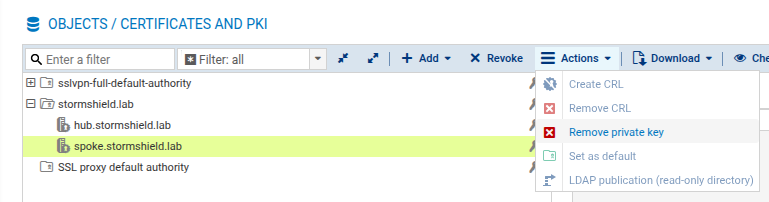
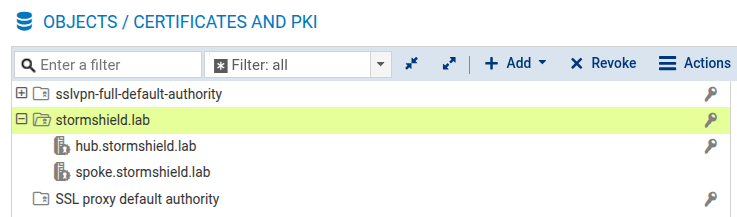
The certification authority (CA) and firewall certificates have been created on the hub,
-
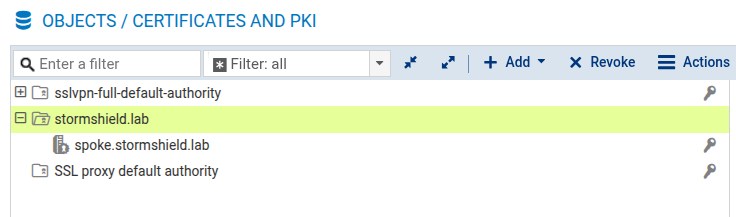
The CA certificate and identity of the spoke (certificate and private key) have been exported, and imported into the PKI on the spoke,
-
The CA has been added to the list of trusted CAs on each of the firewalls to interlink.
PKI configuration on the hub
PKI configuration on the spoke
NOTE
For security reasons, we recommend that you delete the private key that is generated on the hub as soon as the identity (spoke.stormshield.lab in the example) has been exported and imported into the PKI on the spoke,