SN-XL-Series-5200 and SN-XL-Series-6200
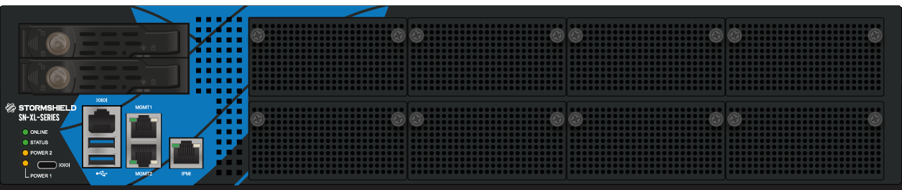
On these products, data is stored on two SSDs that can be accessed from the front panel.
Each SSD can be easily extracted: to unlock its tray, press on the gray button while pushing it laterally towards the left.
Other data is stored on an internal M.2 SSD module.
Dismantling
- Unscrew the 11 black countersunk screws of the upper cover with a Philips screwdriver.
This operation will tear the warranty stickers. - Open up the appliance by pushing the cover towards the back and removing it.
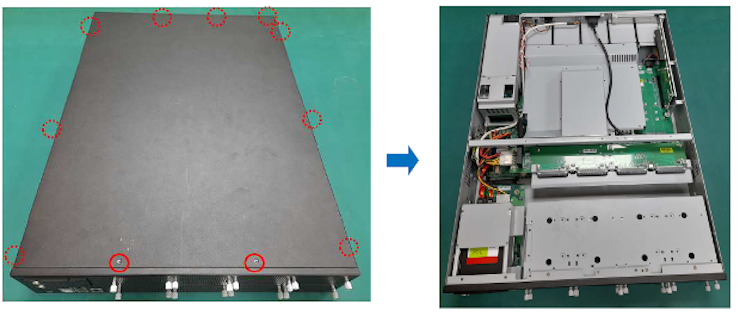
- Locate the M.2 SSD:
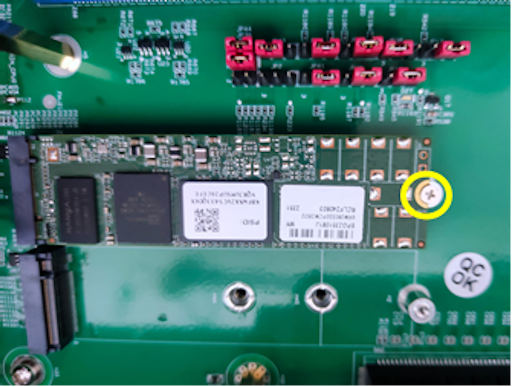
- Unscrew the fastening screw with a Philips screwdriver.
- Extract and take out the M.2 SSD.
- Place the fastening screw back in with a Philips screwdriver.
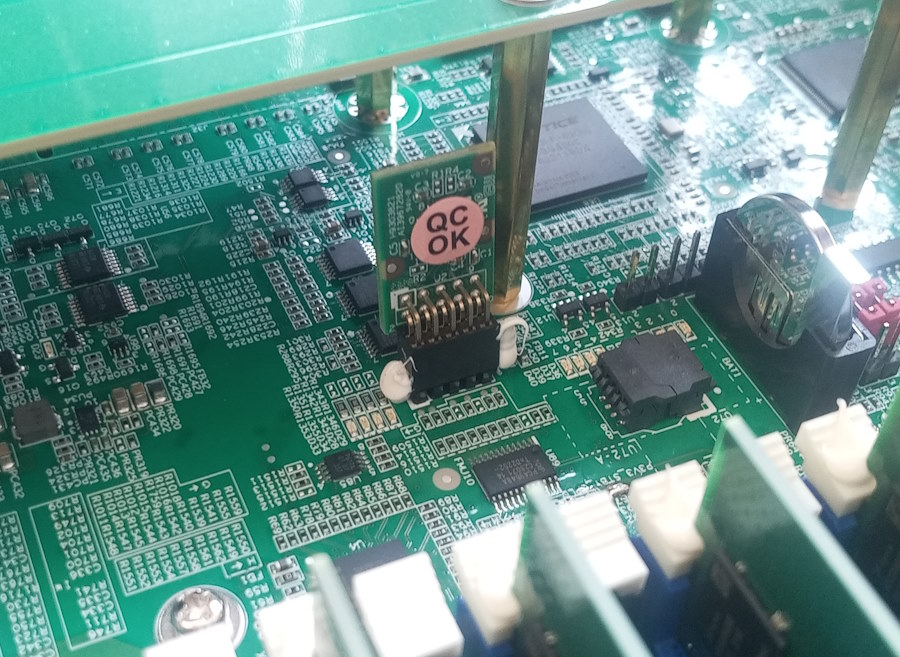
- Extract the TPM (Trusted Platform Module) by pulling it gently and perpendicular to the motherboard:
Assembly
- Put the cover back on.
- Push it forward.
- Close the chassis back up using the 11 screws.