Exporting saved connections
-
Click on the
 button at the top right, then click on Export.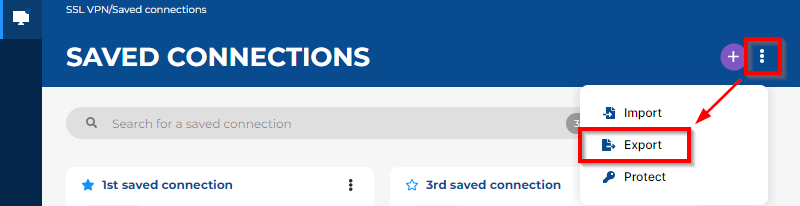
- Select the location to save the .book file, give it a name, and then click on Save.
-
If you wish to protect the .book file with a password, enter the password in the window that appears. Leave the field empty if the .book file does not need to be protected.
NOTE
Protected .book files can only be imported after the protection password is entered. Only the Stormshield SSL VPN client graphical interface allows .book files to be imported. Other methods, such as the CLI command import-addressbook, do not allow protected .book files to be imported. -
Click on Export to export the file.