Configuring privileges to access the SSL VPN
This section explains how to grant users the privilege to set up SSL VPN tunnels. This privilege can be assigned to all users, or to certain users and user groups.
Allowing all users to set up SSL VPN tunnels
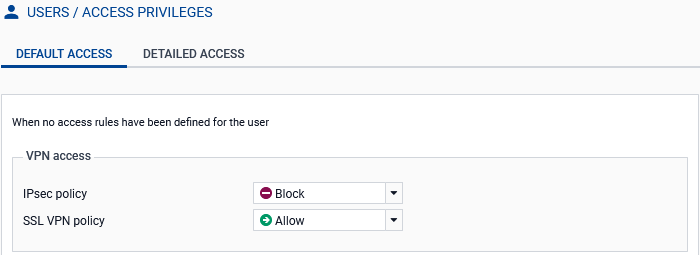
- Go to Configuration > Users > Access privileges, Default access tab.
- In the SSL VPN policy field, select Allow.
Allowing some users and user groups to set up SSL VPN tunnels
- Go to Configuration > Users > Access privileges, Default access tab.
- In the SSL VPN policy field, select Block.
- Go to the Detailed access tab.
- Click on Add to create a custom access rule.
-
In the window that appears, select a user or user group from an SNS firewall directory (such as finance@domain.tld). If you wish to do so, select all the users in a directory by setting Any user@domain.tld. Click on Apply or OK, depending on the SNS version used.
A new row will appear in the grid.
- In the SSL VPN column of the new row, select Allow as the action.
- Enable the rule
 by double-clicking in the Status cell of the relevant row.
