Managed tunnel configuration
This section explains the required parameters for the managed configuration of options that are necessary for setting up a VPN tunnel, assuming that the installation was properly conducted, and the technical requirements were met.
IMPORTANT
The user certificate and root CA have to be imported in advance into the relevant Windows storage locations. The Cybels VPN application will then search for these certificates respectively in the Personal folder (for user certificates), and in the Trusted root certification authorities folder (for the root CA) in the current user's Windows store.
Managed configuration means that the administrator:
- Sets and runs the steps in the manual configuration (see Manual tunnel configuration) on a workstation, and finalizes the creation of the configuration.
- Exports this configuration (see Exporting and importing configurations)
- Manually deploys this configuration on several user workstations through the Cybels VPN application (importing configurations) or with administration tools such as an EMM/GPO.
This configuration feature is useful for creating configuration backups before making changes or conducting tests, and also for building a configuration "template" that can be replicated on several workstations, which saves time, compared to individual manual configurations on several workstations.
Exporting and importing configurations
In the VPN client interface, the administrator opens the Cybels VPN application's general settings and selects "Export configuration". The application will generate a file that reflects the configuration that was manually created.
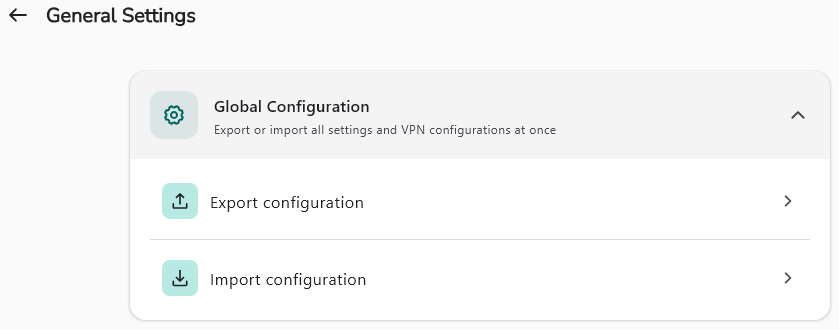
After the configuration has been exported, it can also be edited, and then imported by clicking on "Import configuration" on one or several workstations.
NOTE
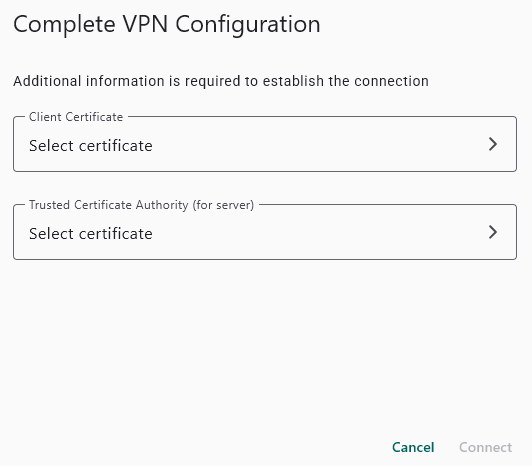
After a configuration has been imported, personal parameters (PSK or user certificate) have to be entered in order to finalize the configuration, to enable launching the VPN tunnel.
To facilitate batch and remote deployments, this configuration can also be deployed through administration tools such as an EMM/GPO. This configuration is available in the Cybels VPN Premium version.
- Simply place this configuration file in the following folder C:\ProgramData\Ercom\Cybels-VPN
- The name of the file has to follow the format vpn_config.json