License
To activate Cybels VPN, the administrator has to enter a valid license key, regardless of whether a Cybels VPN Essential or Cybels VPN Premium client is being configured.
Manual license configuration
In the Cybels VPN client interface, open the "General settings" menu and go to the License field to enter the key provided by your distributor.
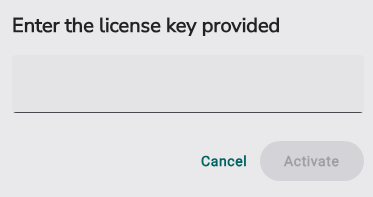
Then click the “Activate” button to finalize the license configuration for the Cybels VPN client.
Managed license configuration
After you have exported the configuration, open the file with a text editor, then enter the key provided by your distributor in the “key” field.
"generalSettings": {
	“license”: {
	"key": ""
	}
}
After you have saved your changes, import the new configuration, and then deploy it on the desired workstation(s) with the administration tool of your choice, an EMM or GPO.
How licensing works for Cybels VPN
When purchasing the Cybels VPN software, the administrator receives a license key corresponding to the chosen variant (Essential or Premium).
This key must be entered and activated at the earliest during configuration (see above), and at the latest before the end of the automatic token release period (after 90 days).
For 90 days from the installation of the VPN client on the workstation and if no valid license key is entered, the VPN tunnel automatically disconnects every 15 minutes.
In addition, a persistent message is displayed to indicate that the configuration is incomplete.

After this 90-day period, if no license key has been entered or if the license key entered is invalid, the license cannot be activated. A new 90-day token is then automatically renewed by the Cybels VPN application.