Installing the VPN client
Technical requirements
Operating system
-
Microsoft Windows 11 PC (version 22H2 or later versions)
-
Professional or Enterprise edition recommended
Permissions and privileges
-
Privileges required for software installations on the workstation (manual installation)
Hardware resources
-
Available disk space: 500 MB
-
Refer to Windows 11 requirements for other details https://www.microsoft.com/en-us/windows/windows-11-specifications?r=1
Server-side VPN infrastructure
Before operating the VPN client, the following items have to be available:
-
A VPN server configured with one or several IKEv2 tunnels, depending on the desired network policy.
-
Parameters required for setting up the VPN tunnel(s), provided by the administrator. These parameters include:
-
The address of the VPN server (IP address or FQDN)
-
If applicable, the cryptographic algorithm(s) to be used (encryption, integrity, key exchange )
-
If applicable, the network configuration if it has not been dynamically provided
-
Certificates and PKI
-
CA and user certificate available on the PC
-
User certificate:
-
X.509-compatible format in at least v3 (more details later)
-
Provisioned on the desired medium (Windows store, smart cards in a future version)
-
-
CA certificate:
-
Installed in stores of intermediaries
-
X.509-compatible format in at least v3 (more details later)
-
Network
-
The UDP port dedicated to VPN traffic (4500 by default, or any other custom port) has to be explicitly authorized for incoming and outgoing traffic on the local firewall.
-
No conflict with other installed VPN clients (prior uninstall recommended)
Digital signature and version
The Cybels VPN client installer is digitally signed with a certificate that is issued by Ercom Engineering Reseaux Communications SAS. This signature guarantees the software program's authenticity, and ensures that the installer has not been tampered with. The administrator or user may perform checks by looking up the properties of the MSI file (right-click), then by going to the "Digital signatures" tab.
Client installation procedure
The Cybels VPN client can be installed in several ways:
-
Manual installation mode: applies to both Cybels VPN Essential and Cybels VPN Premium, and is carried out through the VPN client graphical interface.
-
Managed installation mode: allows the administrator to deploy the application, either automatically or in a distributed manner, over a pool of computers. Applies only to Cybels VPN Premium.
Manual installation
Through the Cybels VPN client installer (requires local administration privileges)
-
After you have downloaded the MSI package, run the application
-
Follow the step-by-step instructions in the installation wizard
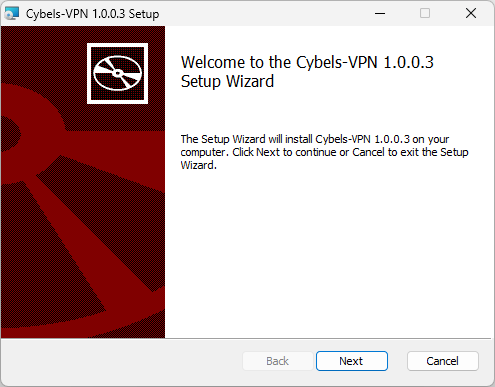
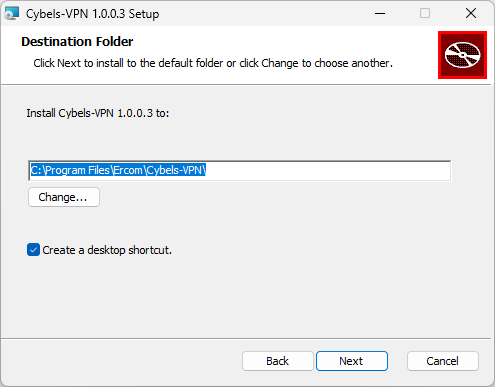
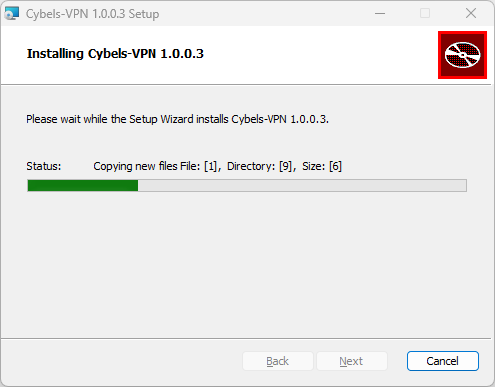
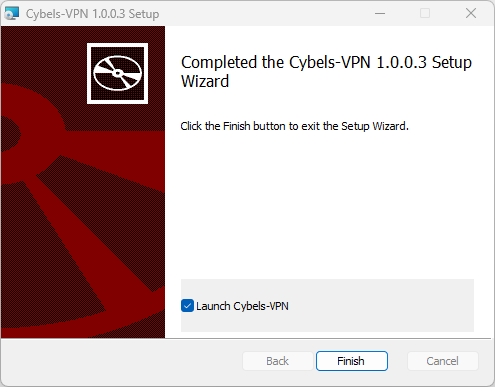
By selecting "Launch Cybels VPN", the Cybels VPN client starts automatically once the update is complete.
Managed installation
The Cybels VPN client can be installed more comfortably in managed installation mode, which allows remote, batch and silent installations.
-
If you are using a group policy (GPO)/EMM/MDM, ask your system administrator for advice on configuration.
-
In command line (CLI) through a Windows command prompt.
NOTE
While the MSI's native capacities enable batch deployment in all variants (Essential and Premium), centralized configuration features (automatic and remote configuration of profiles and security policies) are exclusively available in Cybels VPN Premium.